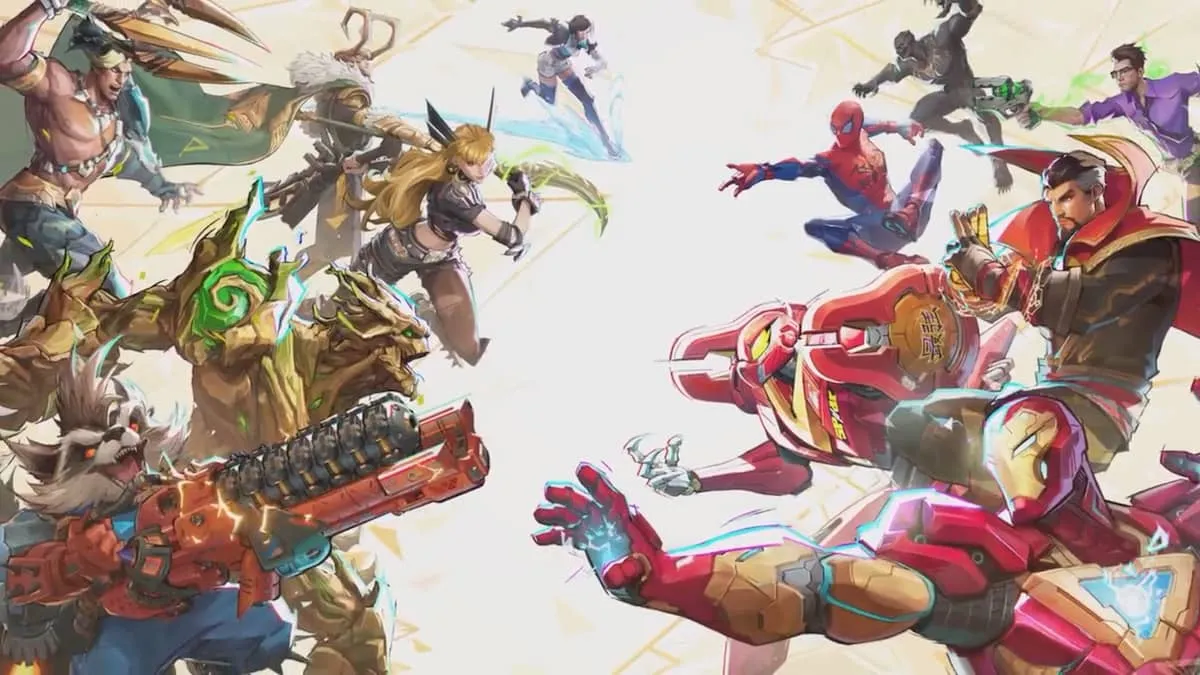
You've finally loaded into the Tokyo 2099 map. You're looking at the scoreboard, trying to see who’s carrying the team, and you notice it. That one guy playing Hela has an icon you’ve never seen before. It’s sleek. It’s glowing. It basically screams, "I spent way too much time in the Closed Alpha."
Marvel Rivals character icons aren't just tiny squares of art. Honestly, they’re the closest thing this game has to a social hierarchy right now. Whether you're rocking the default Iron Man face or a limited-edition event badge, these icons tell everyone exactly how much of a veteran you are—or how much you're willing to grind.
Why Everyone Is Obsessed With These Tiny Portraits
It’s about prestige. NetEase knows exactly what they’re doing by gating specific Marvel Rivals character icons behind difficult challenges or limited-time windows. In a fast-paced hero shooter, you don't always have time to inspect someone’s skin or check their career stats mid-fight. The icon is the first thing people see. It’s your calling card.
Some icons are basically participation trophies. You log in, you get a badge. Fine. But others? Those require actual sweat. If you see someone with a high-tier Competitive reward icon, you know you’re probably about to get dove by a Spider-Man who doesn't miss his webs. It’s psychological warfare before the first Chrono-Venture even starts.
The Different Tiers of Rarity
Basically, you can break these down into a few buckets. Most players start with the standard roster icons. These are the basic portraits of heroes like Bruce Banner, Luna Snow, or Namor. They’re clean, sure, but they don't exactly turn heads.
Then you’ve got the Galacta’s Quest rewards. This is the Marvel Rivals version of a Battle Pass. As you level up, you unlock specialized icons that usually feature stylized art or specific themes related to the current season’s lore. If you missed the early seasons, those icons might be gone for good, making them "legacy" items that prove you were there when the game first launched in late 2024 and expanded into 2025.
How to Actually Unlock More Marvel Rivals Character Icons
If you’re tired of the default look, you’ve got work to do. There isn't just one way to grab these. It’s a mix of skill, luck, and timing.
Character Mastery: This is the most straightforward path. The more you play a specific hero, the more rewards you unlock for them. It’s not just about the skins. At certain Mastery levels, you’ll nab specific icons that show off your dedication to that character. It’s a grind. A long one. But seeing that Golden-tier icon for Magik makes the dozens of hours feel worth it.
Competitive Rank Rewards: This is where the real "flex" icons live. At the end of a competitive season, you get an icon based on the highest rank you achieved. If you hit Gold, you get a Gold-themed icon. If you’re one of the few who managed to climb into the top tiers like Celestial, your icon will practically radiate "stay out of my lane."
Event-Specific Drops: Marvel Rivals loves a good crossover or seasonal event. During the winter holidays or special Marvel cinematic tie-ins, NetEase usually drops limited-time challenges. Sometimes it’s as simple as winning five matches; other times, you have to perform specific feats, like getting a certain number of Team-Up ability kills.
Community and Twitch Drops: Don't ignore the outside world. Often, linking your NetEase account to Twitch and watching partnered streamers for a few hours will net you an exclusive icon. These are usually "limited edition," and once the campaign ends, they’re typically locked away in the vault forever.
The Mystery of the "Secret" Icons
There’s been a lot of chatter in the Discord about hidden icons. Some players have reported unlocking specific portraits after hitting weird milestones—like getting a massive multi-kill with a specific Team-Up move or playing a certain number of matches with a full pre-made squad. While NetEase hasn't officially confirmed a massive list of "hidden" achievements, the community is constantly data-mining to see what’s coming next.
Honestly, it keeps the game fresh. You never know when a random Tuesday update might add a new set of Marvel Rivals character icons tied to a new hero release like Wolverine or Black Widow.
What Your Icon Says About Your Playstyle
Let’s be real for a second. We all judge people based on their icons. It’s a gamer instinct. If I see someone with the default Punisher icon, I assume two things: either they’re a god-tier FPS veteran who doesn't care about cosmetics, or they just downloaded the game five minutes ago. There is no in-between.
- The Mastery Icon User: This person is a specialist. They aren't going to swap heroes, even if they’re getting countered. They’ve played 200 hours of Rocket Raccoon and they’re going to make sure you know it.
- The Event Icon User: These players are the collectors. They might not be the highest rank, but they have every single limited-time item. They’re the ones who show up for every patch note and every community event.
- The Competitive Icon User: Usually the "sweat." They want you to know they’ve climbed the ladder. They’re likely to be the shot-caller in voice chat.
Common Misconceptions About Icon Rarity
A lot of people think that the rarest icons are always the hardest to get. That’s not always true. Sometimes, the rarest Marvel Rivals character icons are actually the ones from the very first Closed Alpha or Beta tests. Because the player base was so small back then, very few people actually own them. You could be a Top 500 player right now, but you’ll never have that specific "Pioneer" icon from the early testing phases.
Also, some players believe icons give small stat boosts. They don't. This isn't a mobile RPG where a badge gives you +5% attack power. Marvel Rivals is a competitive shooter; cosmetics stay cosmetic. If someone is hitting every shot, it's because they're good, not because their icon is "lucky."
Looking Ahead: Customizable Icons?
There have been rumors—mostly unconfirmed leaks from Weibo—that NetEase might introduce "border" customization for icons. Imagine taking your favorite Venom icon and adding a flaming border you earned from a Rank 1 finish. This would add another layer to the Marvel Rivals character icons system, allowing for thousands of unique combinations. It would definitely solve the problem of seeing five people in a lobby with the exact same badge.
The Technical Side: Why Your Icons Might Disappear
Occasionally, players freak out because their earned icons aren't showing up. Usually, this is just a server sync issue, especially after a big patch. If you’ve earned a Mastery icon and it’s still locked, try restarting the client or playing one more match with that character to "nudge" the progression system.
Also, keep in mind that some rewards are regional. If you’re playing on a specific server or through a specific platform (like the Epic Games Store vs. Steam), there might be slight delays in how items are granted to your account.
Step-by-Step Guide to Maximizing Your Collection
If you want to fill out your gallery fast, stop just playing "for fun" and start playing with intention.
First, check the Galacta’s Quest tab every single day. Look for the daily and weekly missions that specifically reward "Units" or "Credits" that can be spent in the in-game shop. Sometimes, specific icon bundles rotate through the shop for a limited amount of currency.
Second, focus on your "Main." Pick three heroes—one Duelist, one Strategist, and one Vanguard. Rotate between them to level up their Mastery simultaneously. This ensures you’re always making progress toward a high-tier icon regardless of what role the team needs you to fill.
Finally, join the official Marvel Rivals Discord and follow their X (formerly Twitter) account. They often announce "Flash Challenges" that only last 24 to 48 hours. These are the prime opportunities to grab Marvel Rivals character icons that most of the player base will miss because they weren't paying attention.
To keep your account current, make sure your NetEase ID is properly linked to your platform of choice. If you play on both PC and console, verify that cross-progression is active so your hard-earned icons follow you wherever you go. Don't let a simple tech error cost you the rarest badge in your collection. Keep an eye on the "News" section in the main menu; that's usually where the specific unlock requirements for seasonal icons are hidden in the fine print.
Now, get back into the queue. That Top 100 icon isn't going to earn itself.